A full set of books - that you own.
Move your existing books, run the daily work, close the month, and hand clean records to an accountant. A correct ledger stays underneath it all, on your machine.
A migration workspace, not a pile of CSV files.
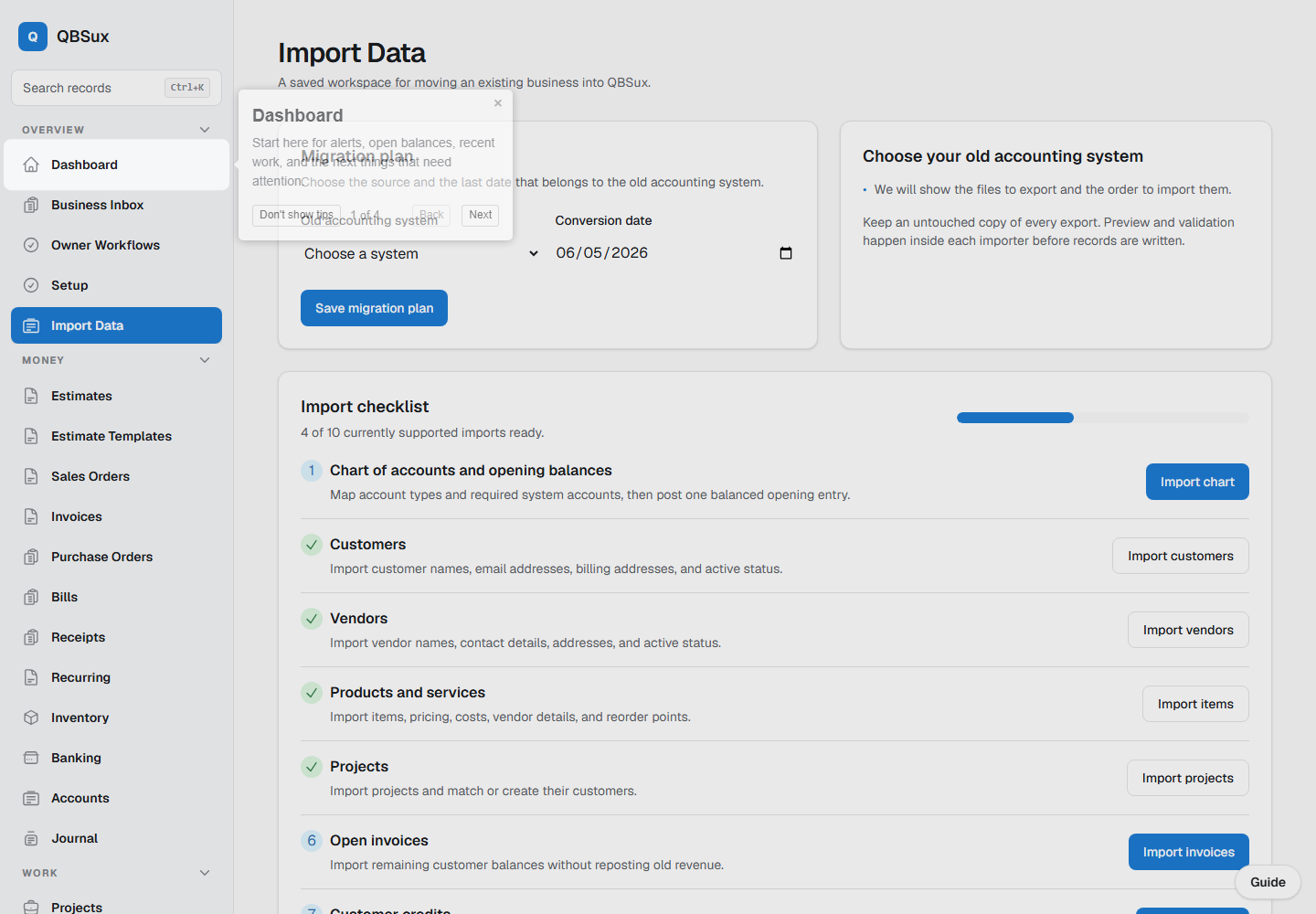
QBS reads a QuickBooks Desktop Lists to IIF Files export, previews every section, preserves reusable mappings for other sources, and shows whether imported totals reconcile before the switch is approved.
- Import all supported lists at once, with scoped customer, vendor, and item imports from their checklist steps
- Bring accounts, customers, vendors, inventory items, jobs/projects, employees, and supported reference lists
- Import chart of accounts, opening balances, and opening inventory
- Bring open invoices, customer credits, bills, and vendor credits
- Reuse saved column and account mappings across files
- Track migration batches, reconciliation, approval, backup, and rollback
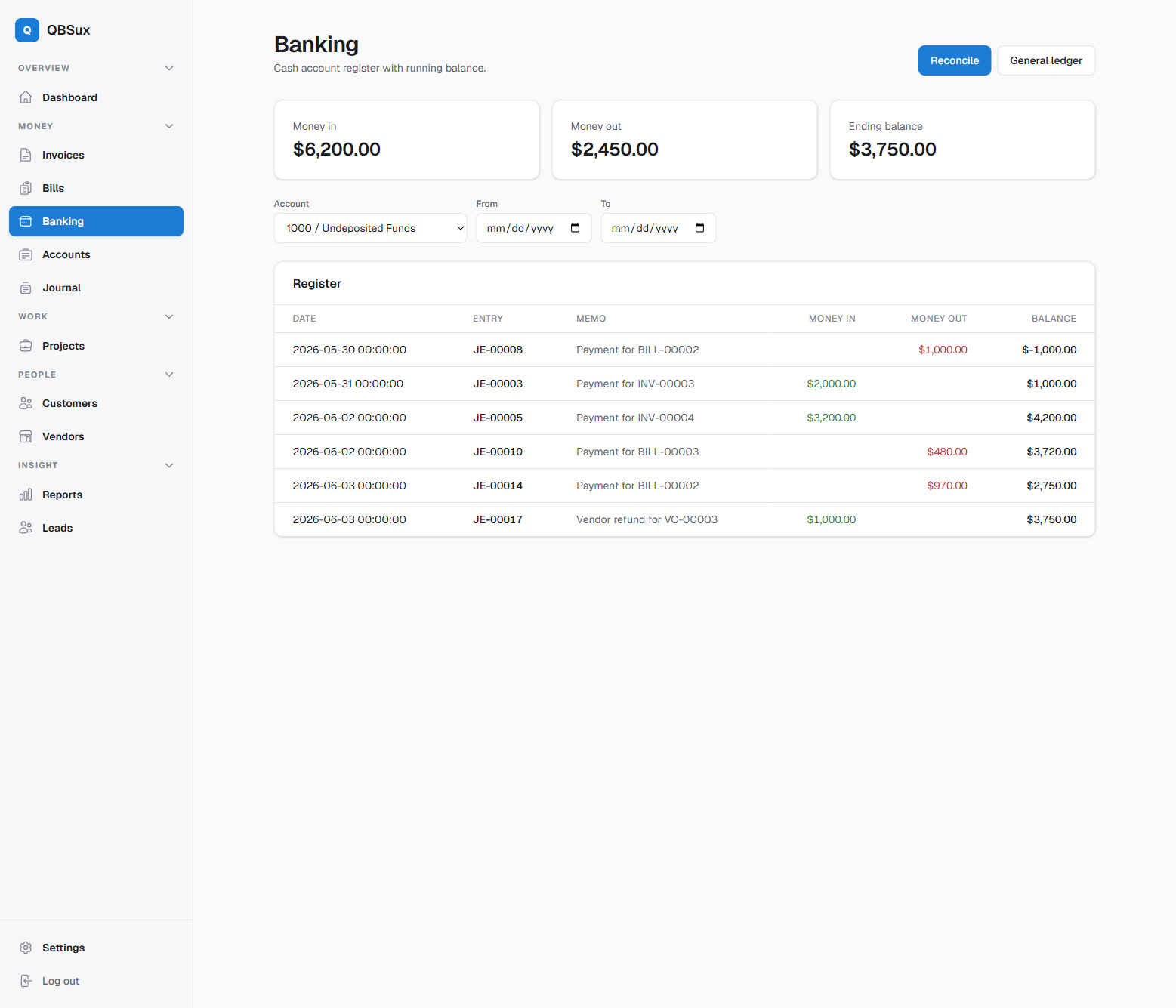
Turn bank activity into reviewed bookkeeping.
Bring transactions in, match what is already in the books, and teach repeatable rules for the work that remains.
- CSV bank transaction imports with duplicate detection
- Matching against payments, deposits, and recorded activity
- Reusable categorization rules for unmatched transactions
- Deposit batching from Undeposited Funds
- Check register and statement reconciliation
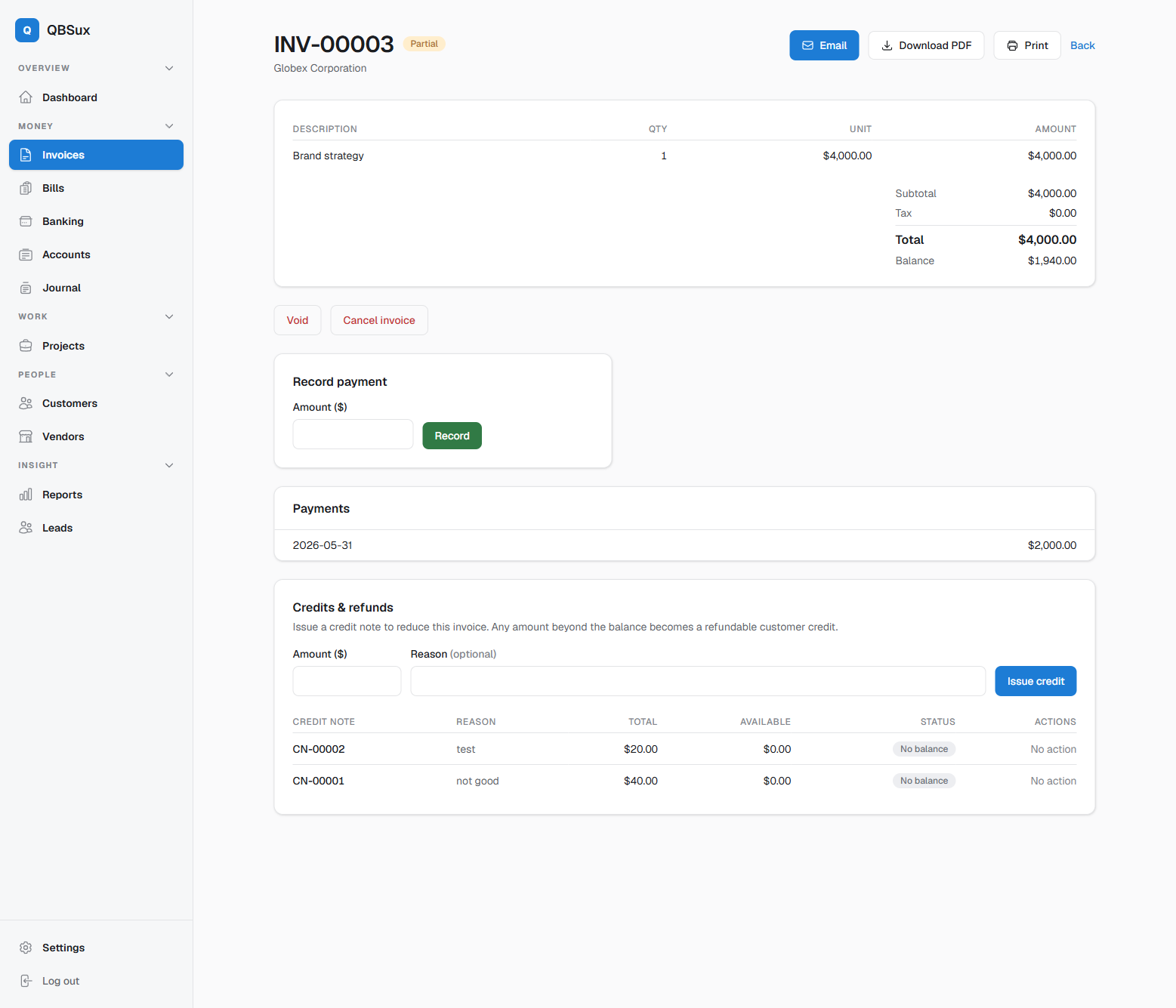
Invoicing & accounts receivable
Bill clients and track every dollar owed - with the adjustments real businesses need.
- Draft, issue, and send invoices with tax and terms
- Customer terms can set due dates; price levels, tax codes, sales reps, shipping methods, and reusable messages carry into the draft
- Recurring invoice schedules for repeat billing
- Partial payments and running balances
- Credit notes, refunds, and customer statements
- One-click PDF download or email
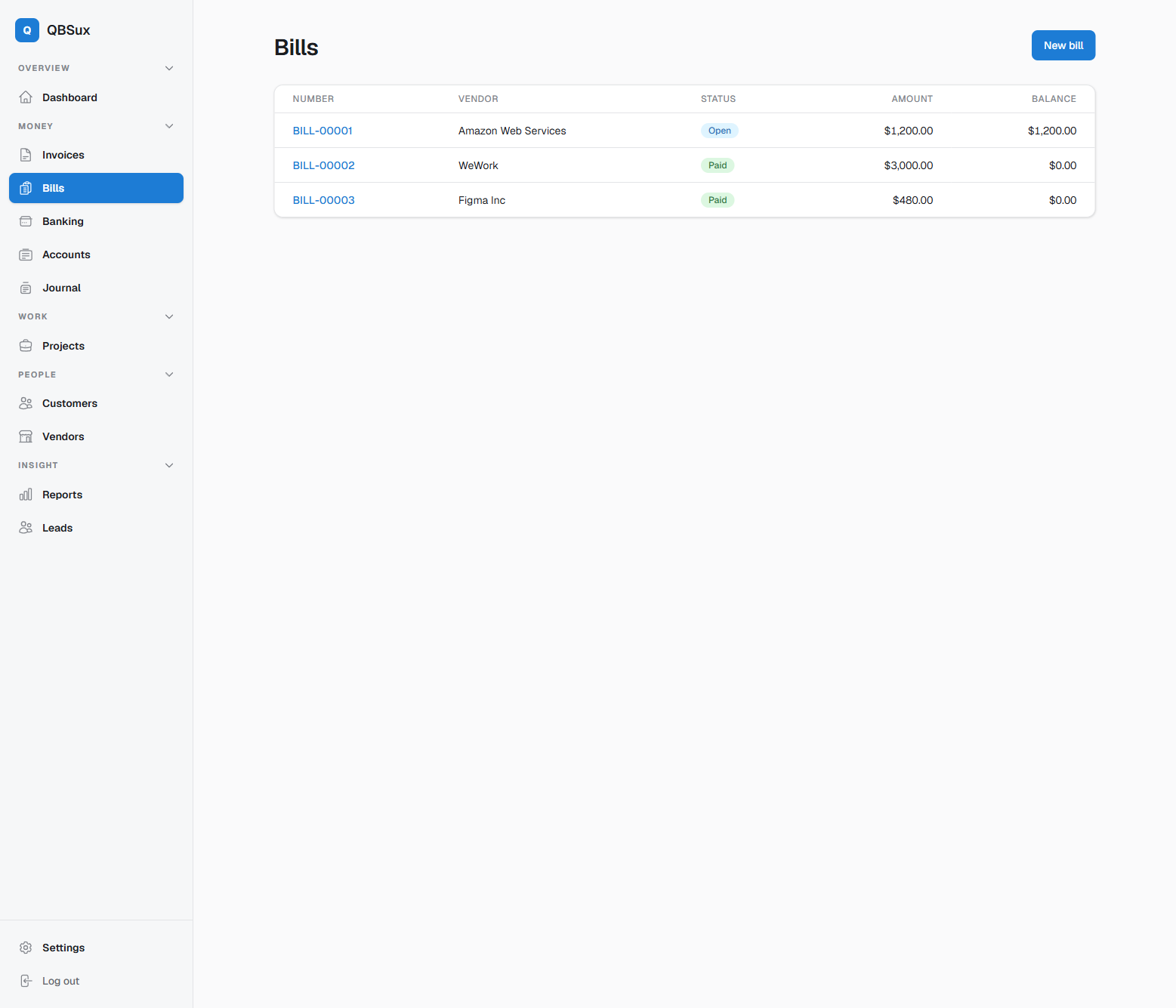
Bills & accounts payable
The payable side, done properly - so you always know what you owe.
- Record vendor bills against expense accounts
- Recurring bill schedules for monthly obligations
- Full and partial payments
- Vendor credits and refunds
- Open-payables visibility at a glance
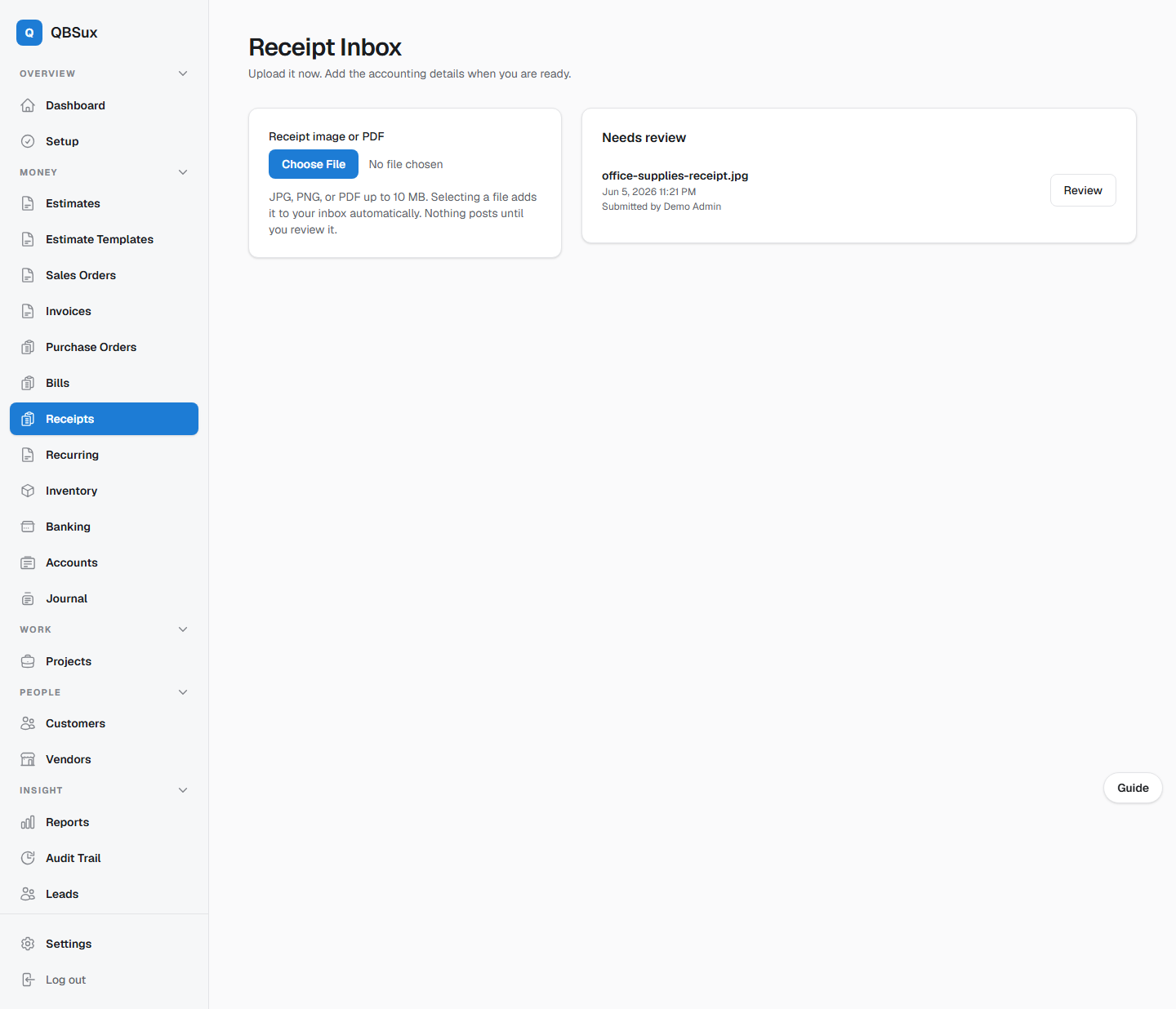
From camera roll to reviewed expense.
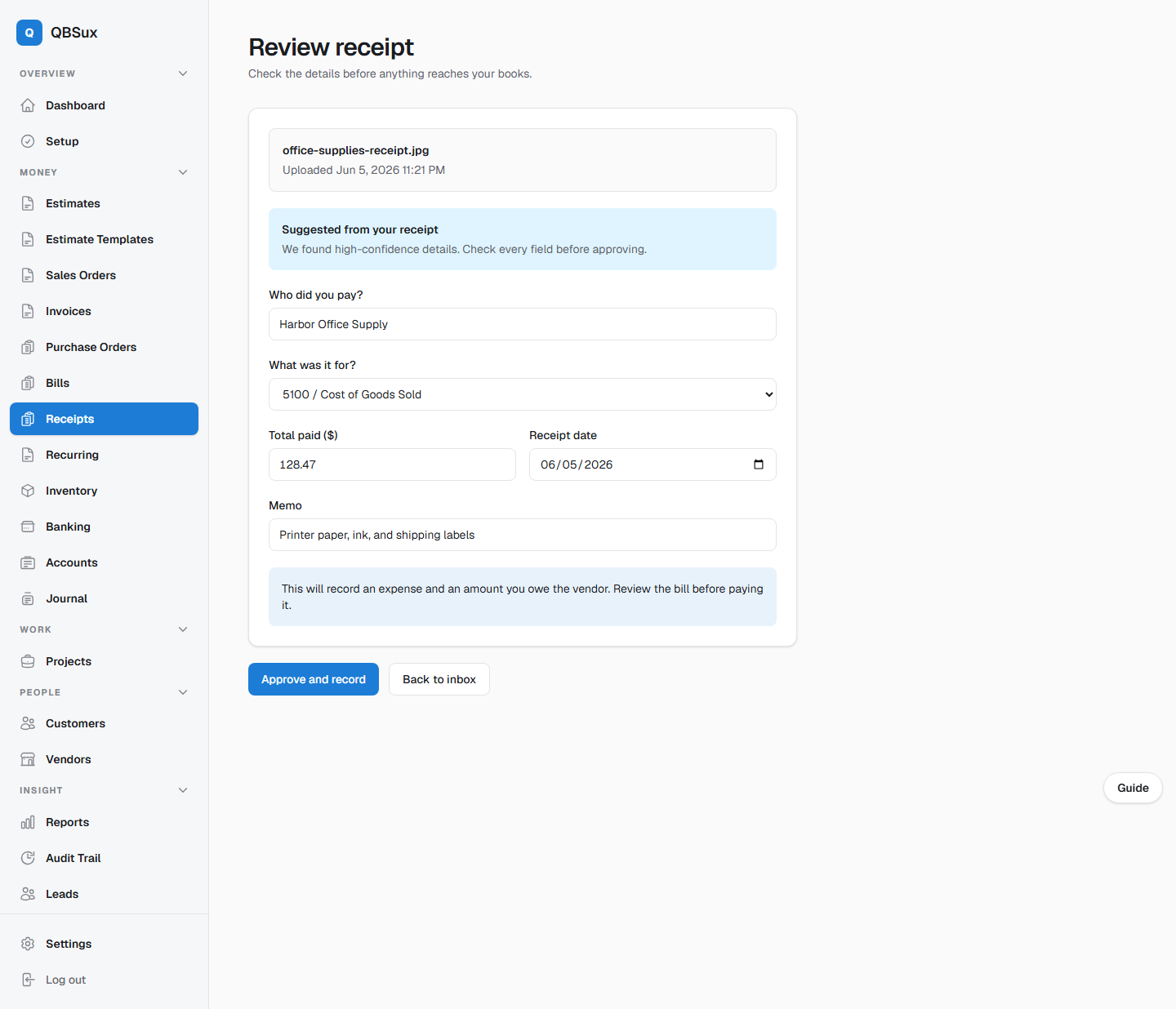
Receipts land in an inbox instead of disappearing into a pocket. Self-hosted OCR reads the document and prepares suggestions, but a person stays in control of the accounting.
- Phone-friendly JPG, PNG, and PDF upload
- Local OCR suggestions for vendor, date, total, and memo
- Shared inbox for receipts that still need review
- Expense-account selection before approval
- Original receipt retained with the recorded bill
- Nothing posts without explicit approval
Real project profit & loss
The reason project-based businesses outgrow generic accounting.
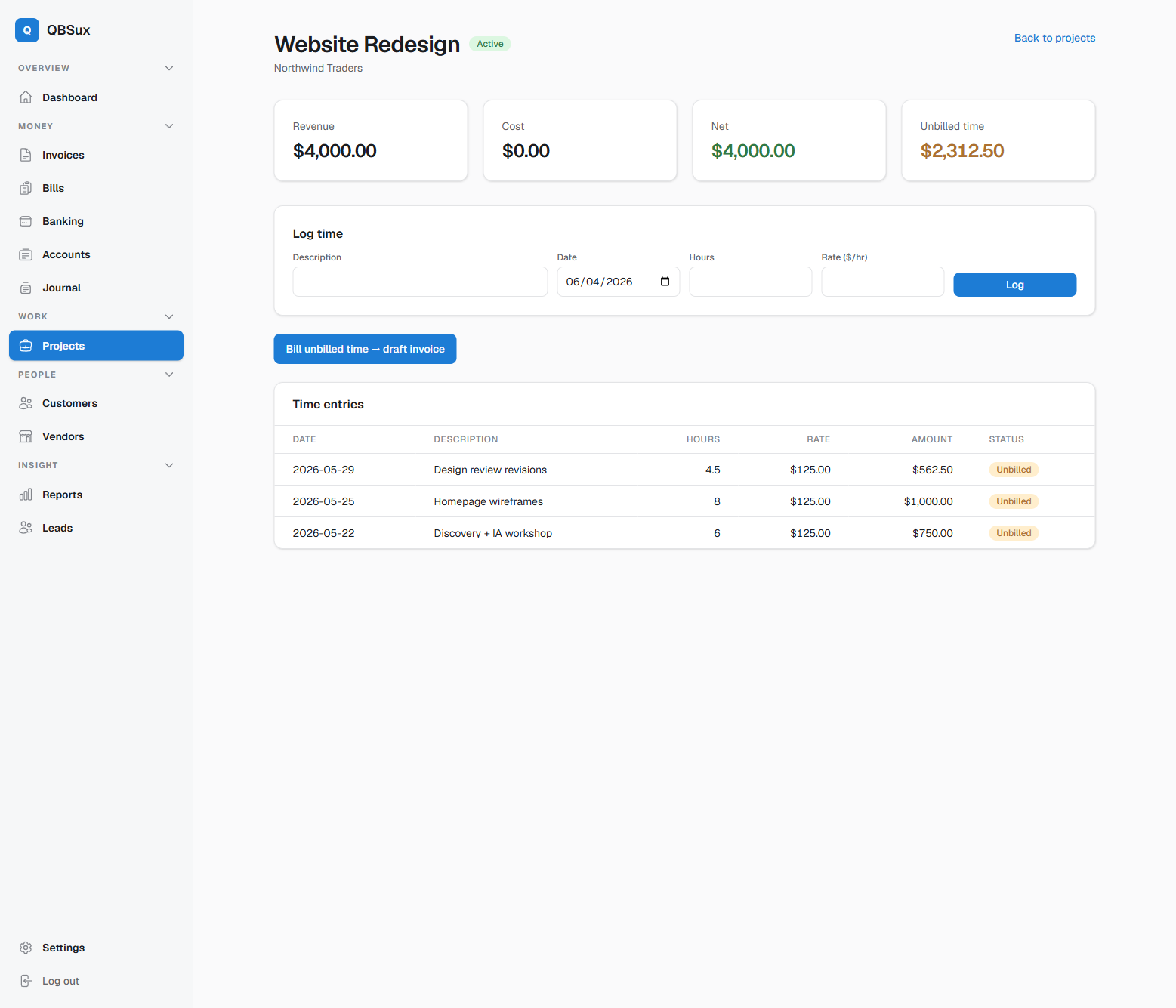
- Tag income and costs to projects
- Log billable time against each job
- Turn unbilled time into a draft invoice in one step
- True profit per project, not just per month
Put approved payroll amounts into the books.
QBS gives owners a controlled manual pay-run workflow without pretending to be a tax engine or payroll filing service.
- Employee records with encrypted sensitive identifiers and masked list display
- Per-employee gross pay, withholding, and net-pay detail
- Balanced posting to wage expense, payroll liability, and bank accounts
- Read-only pay-run detail linked to the posted journal entry
- Manual amounts stay under the control of the owner or payroll professional
Accounting entry, not tax filing
QBS records the payroll totals you approve. It does not calculate withholding, classify workers, generate payments, file returns, or remit payroll liabilities.
The statements you expect
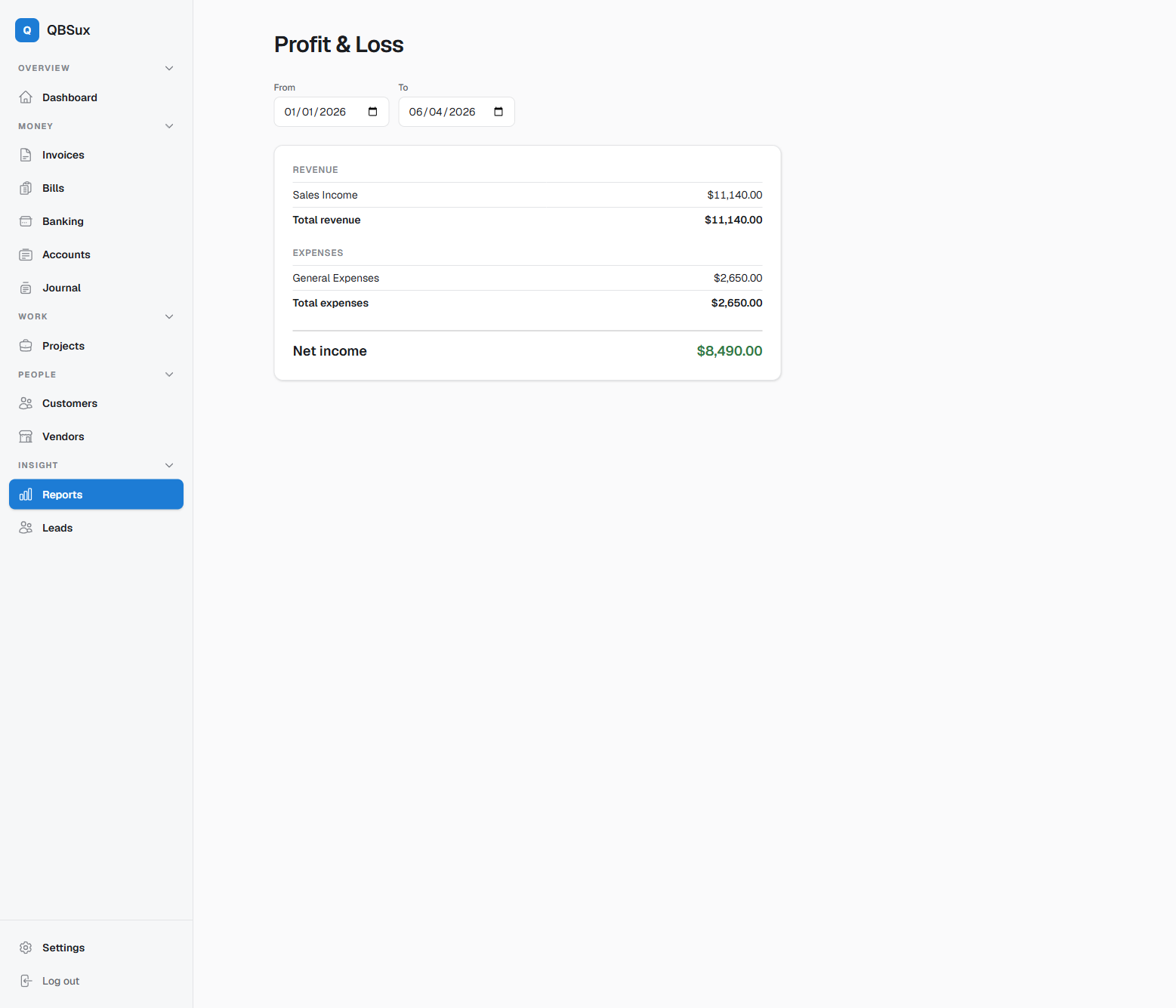
Read-only, accurate, and easy to share. Print, download, or email clean PDFs from every core report.
- Profit & loss and balance sheet
- Trial balance and cash flow
- Saved views, presets, and comparison periods
- Profit & Loss by Class and Sales by Rep
- Sales tax liability
- AR and AP aging
- Item margin, COGS, and gross margin by item
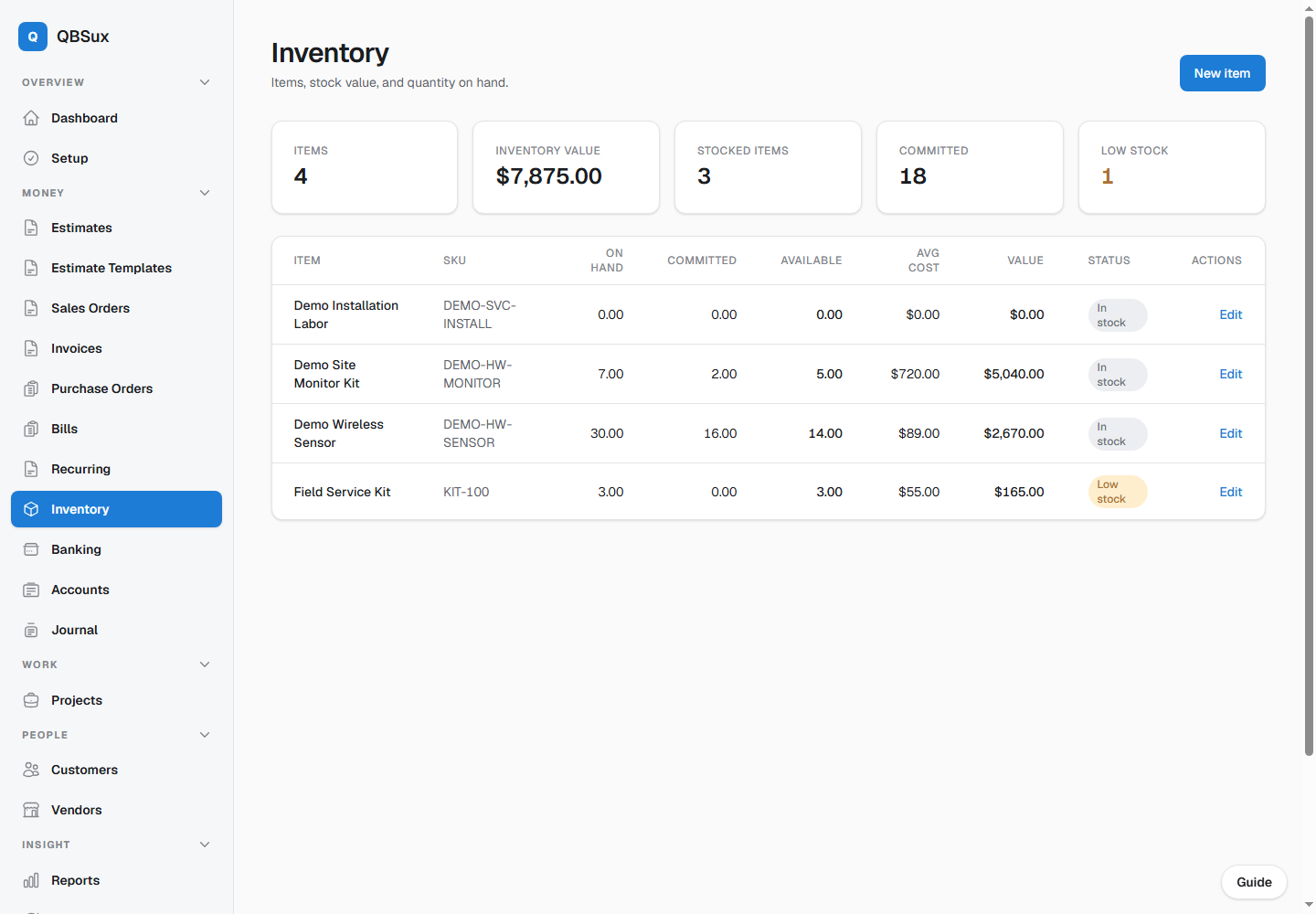
Stock, purchase orders, and COGS
Inventory belongs in the accounting flow, not in a disconnected spreadsheet.
- Items with SKU, cost, price, and reorder point
- Purchase orders with partial receiving
- Low-stock dashboard alerts
- Automatic inventory asset and COGS posting
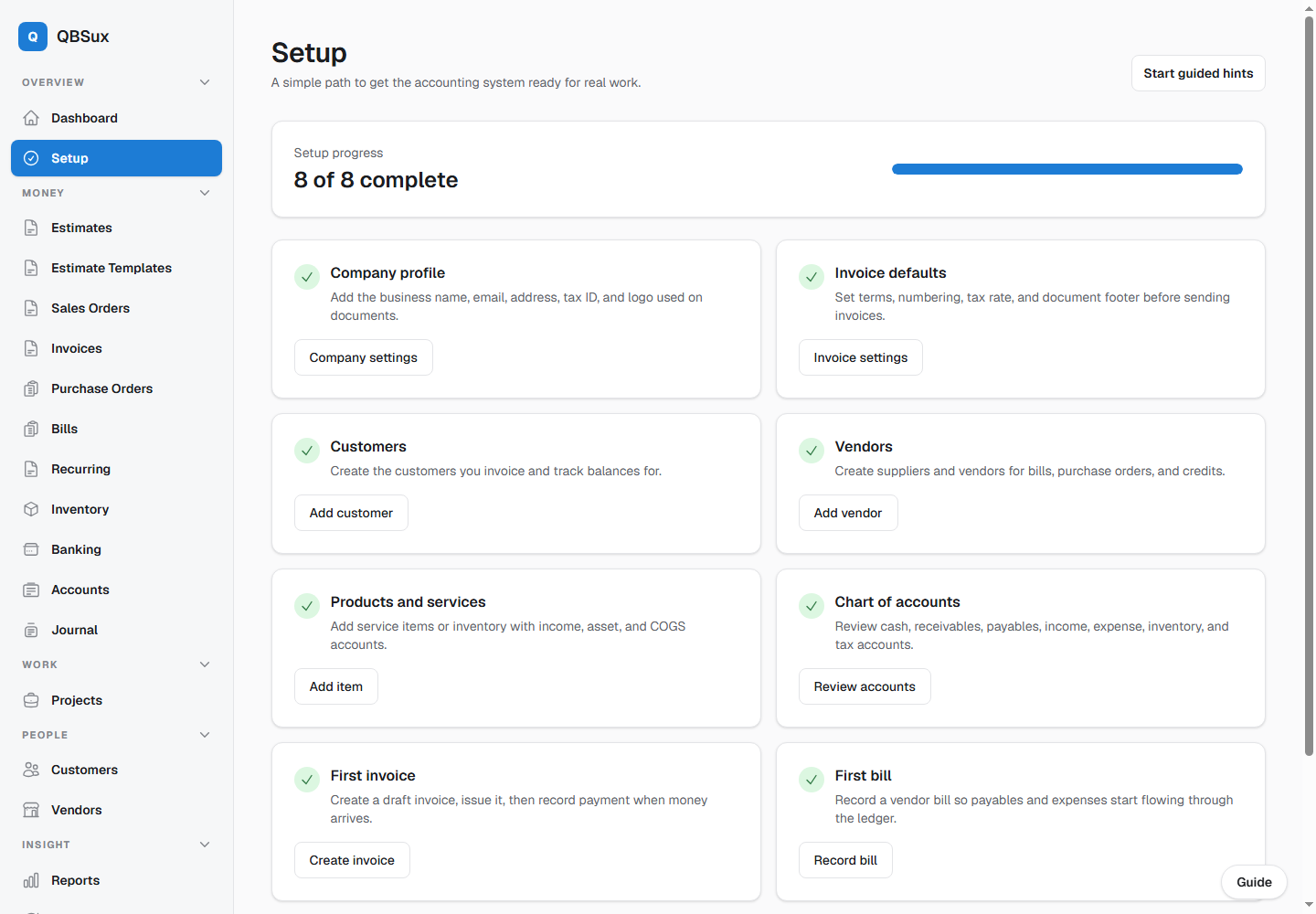
Easier to learn than QuickBooks.
A good accounting app should help people know what to do next. QBS includes guided setup and optional interface hints right inside the app.
- Setup checklist for company, contacts, items, accounts, invoices, and bills
- Grouped Lists hub for terms, methods, classifications, pricing, tax codes, messages, reps, and budgets
- Fast slide-over list editors and collapsing navigation that keeps the active work visible
- Highlight-style guided hints with next/back controls
- User profile toggle to turn hints on or off
- Mirrored demo data for local and production walkthroughs
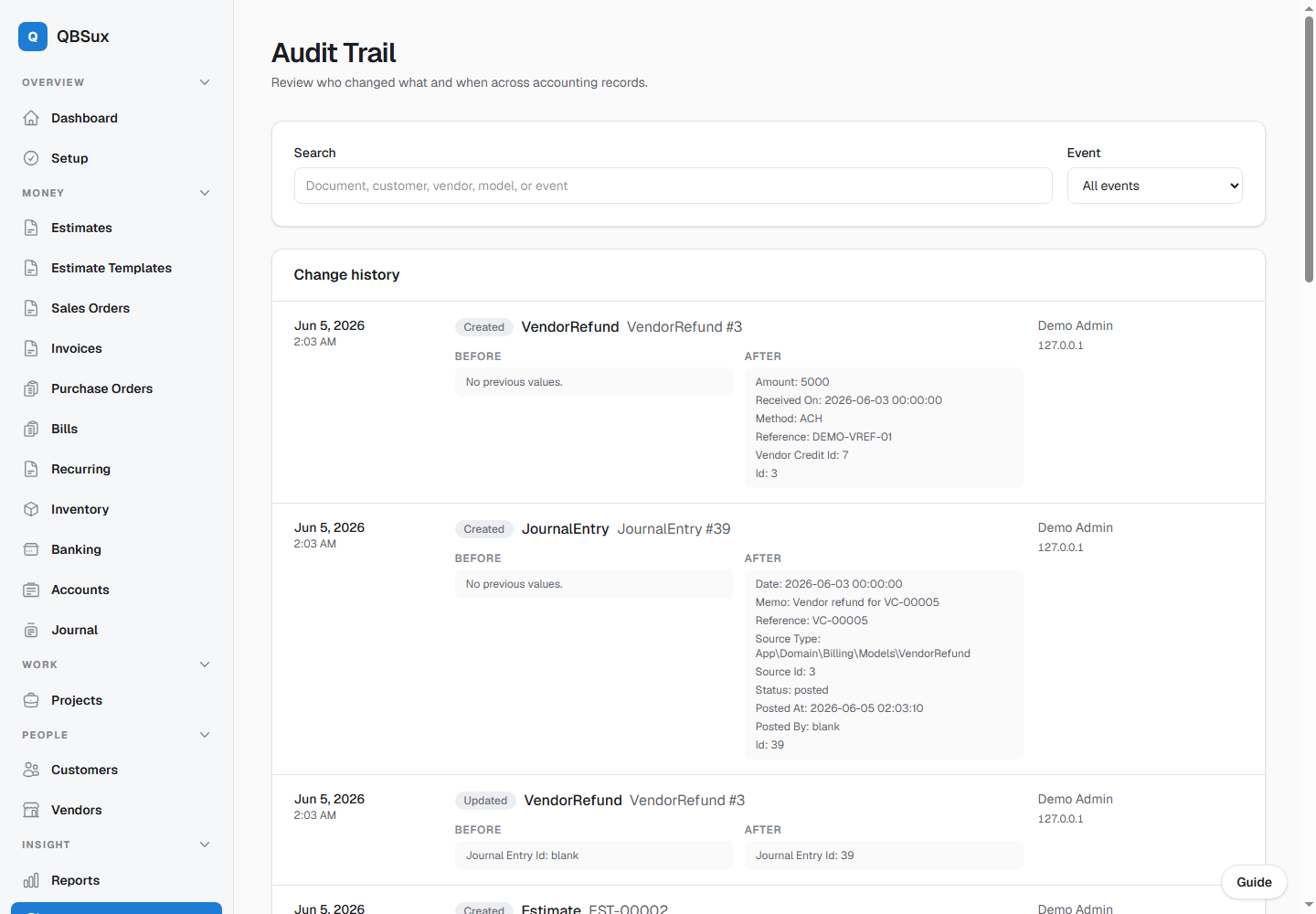
Trust every change.
Every serious set of books needs a memory. QBS records changes across the accounting records and makes them searchable.
- Audit trail with created, updated, and deleted events
- Before-and-after values for changed fields
- User, timestamp, and IP capture
- Customer and vendor activity timelines
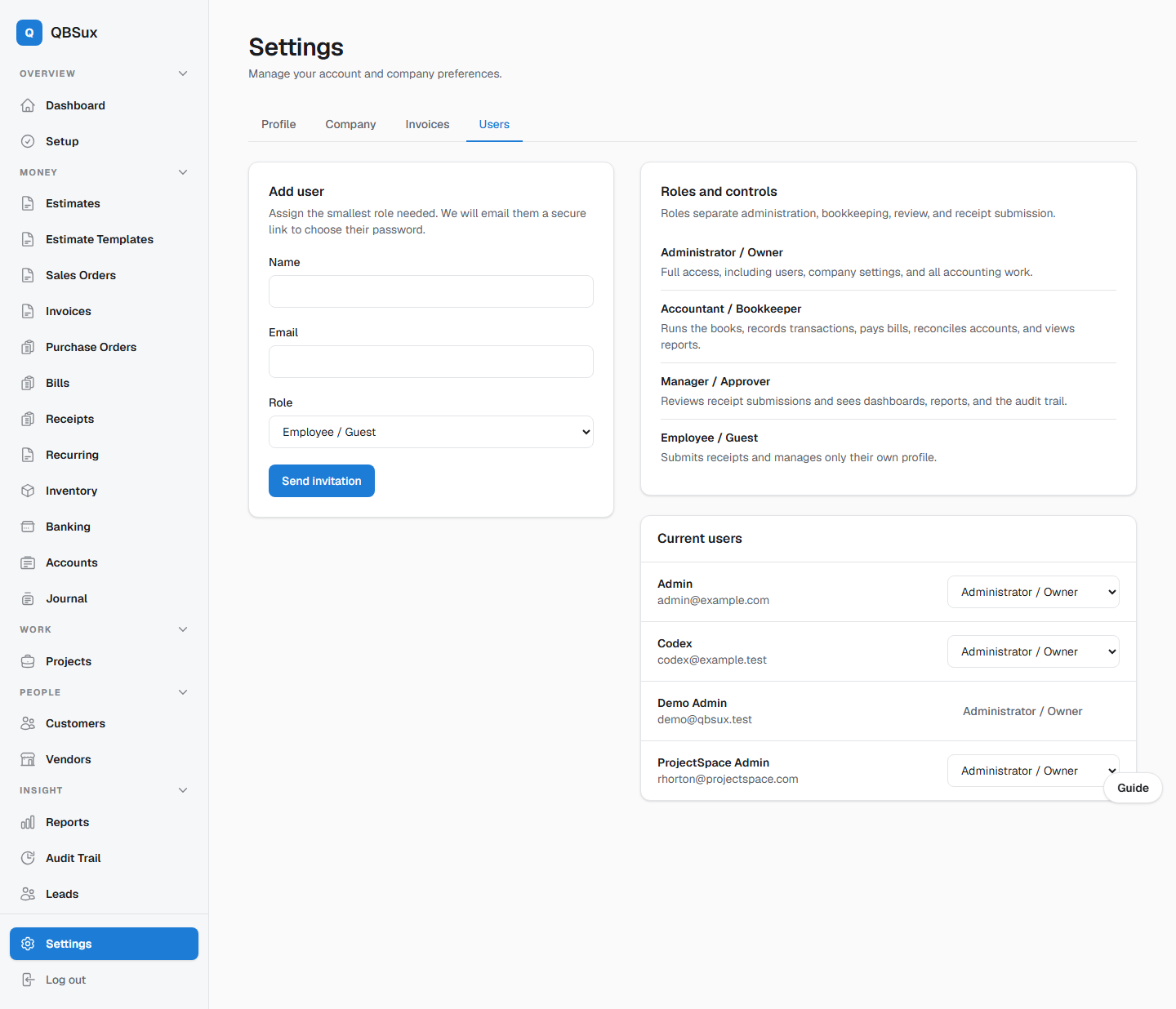
Let people help without handing over the whole company.
Give each person the smallest role they need, from full administration to receipt-only submission.
- Administrator, accountant, manager, and employee roles
- Employees can submit receipts without seeing the books
- Managers can review receipts and see reports and audit history
- Secure email invitations let each user choose their password
- Administrators can update roles as responsibilities change
Make the next decision obvious.
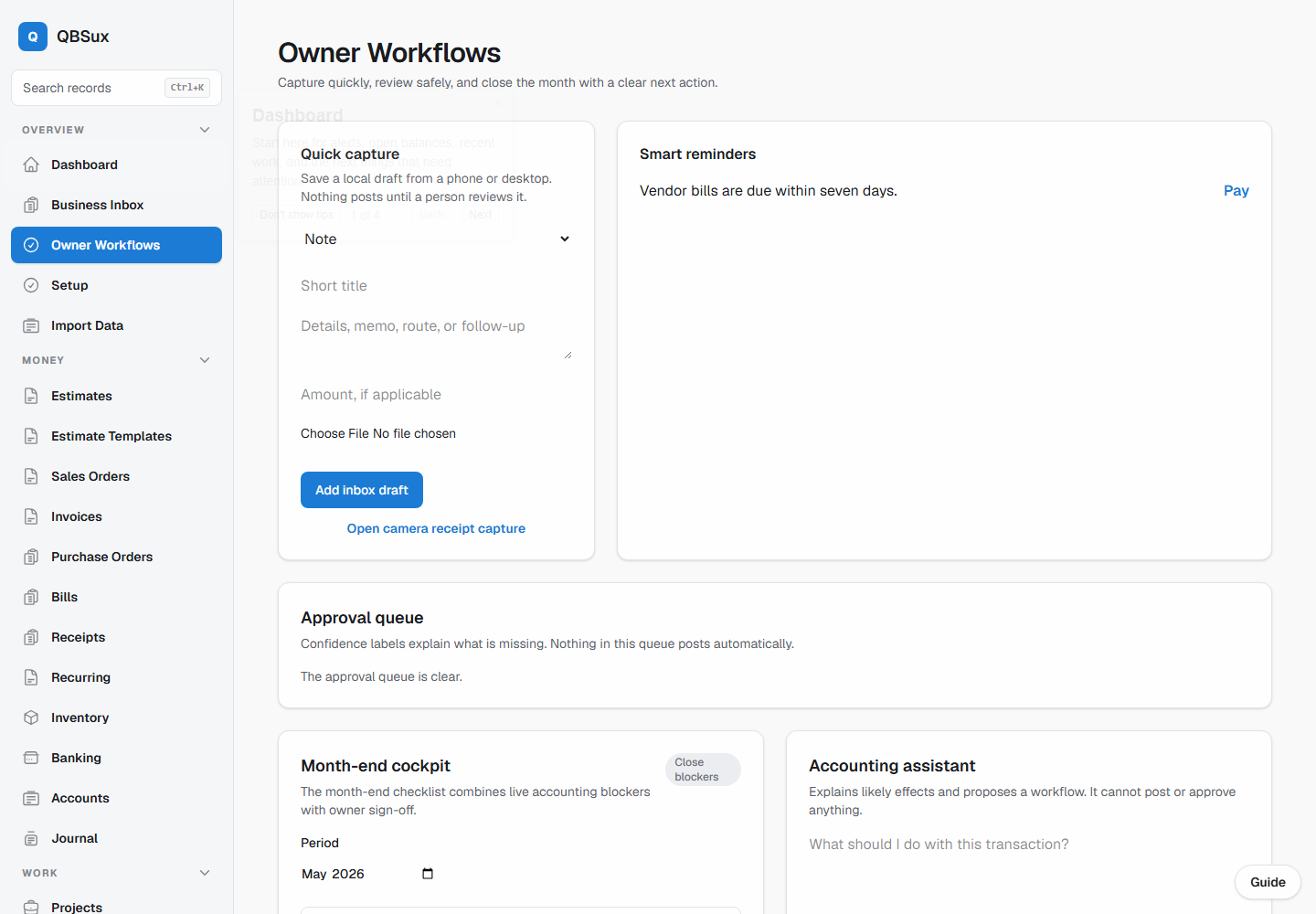
Daily capture, approvals, reminders, and month-end work live in focused owner views instead of being scattered across the application.
- Business inbox for documents and work that needs triage
- Owner approval queue for exceptions and risky actions
- Smart reminders and a guided month-end checklist
- Owner insights that link each signal back to its source
- Global search and keyboard access to records
Local software with a support path.
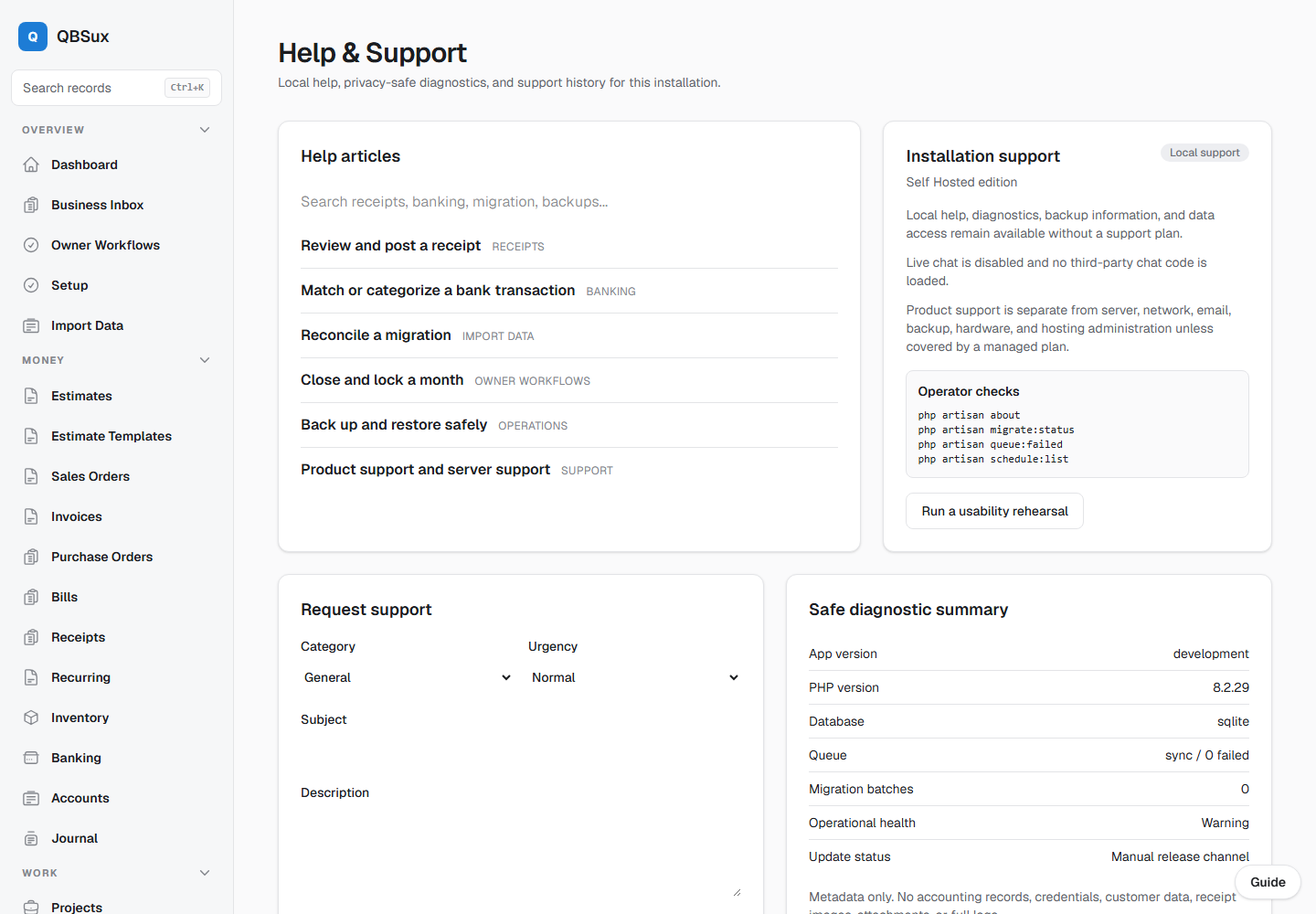
Help articles, safe diagnostics, and account security are built into the installation without sending financial records through a generic support form.
- In-app help center and installation diagnostics
- Support availability shown for the installation
- Two-factor authentication and recovery controls
- Review and sign out other active devices
- Role-based access for owners, accountants, managers, and staff
A correct ledger, not a spreadsheet in a trench coat.
Proper double-entry. Every posted entry balances and can't be silently edited - corrections happen through reversals, the way real accounting works.