For individuals

Your app. Your data. All local.

Real double-entry accounting that runs on your machine. Send invoices, automate recurring work, track what you're owed, and see where your money goes - without renting software by the month.

You own it. No cloud, no subscription hostage.

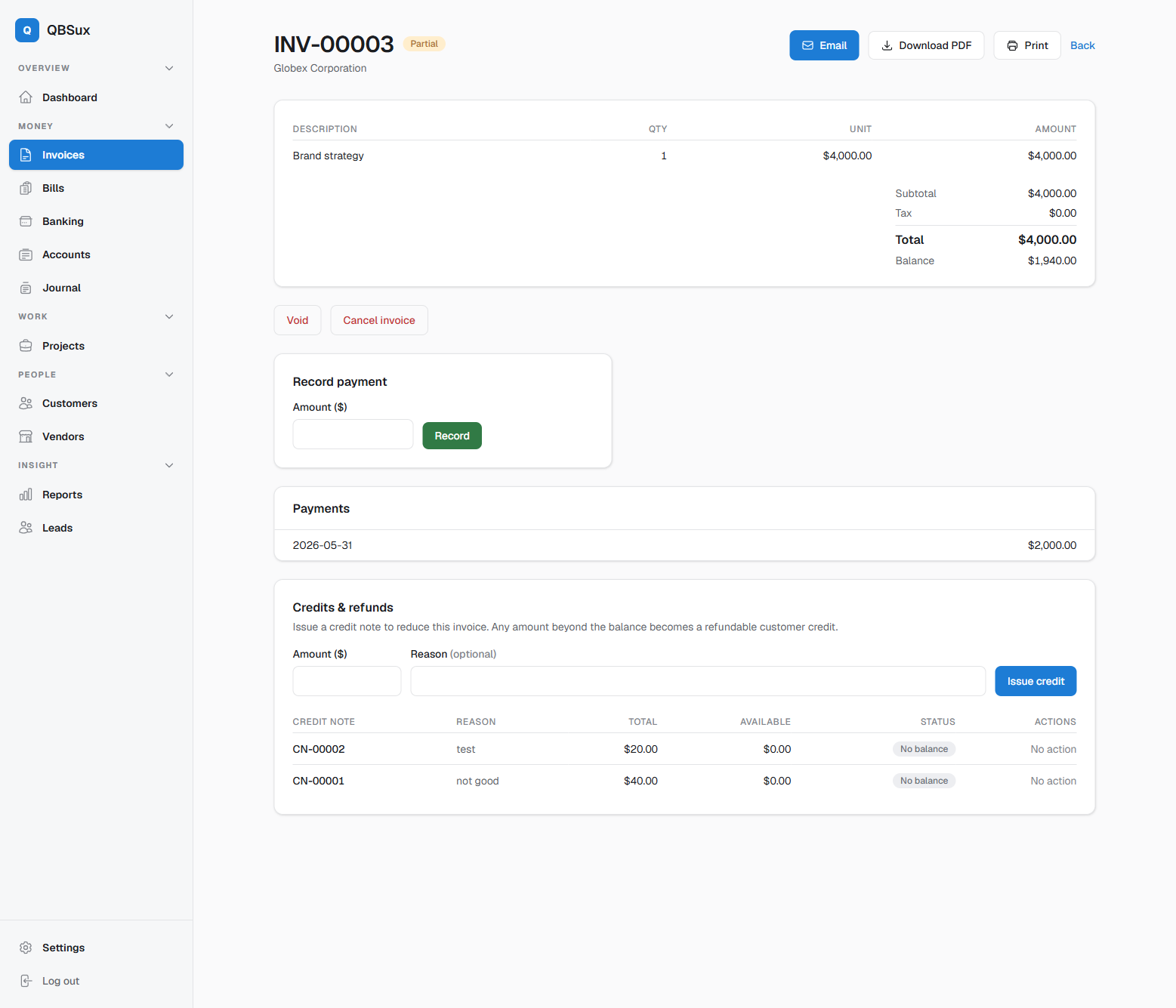
QBS invoice screen
For small business

Books that understand projects.

Invoices, bills, inventory, time tracking, and real project profit & loss in one place. Know which jobs make money - not just whether the month did.

Runs on your server. Your data never leaves the building.

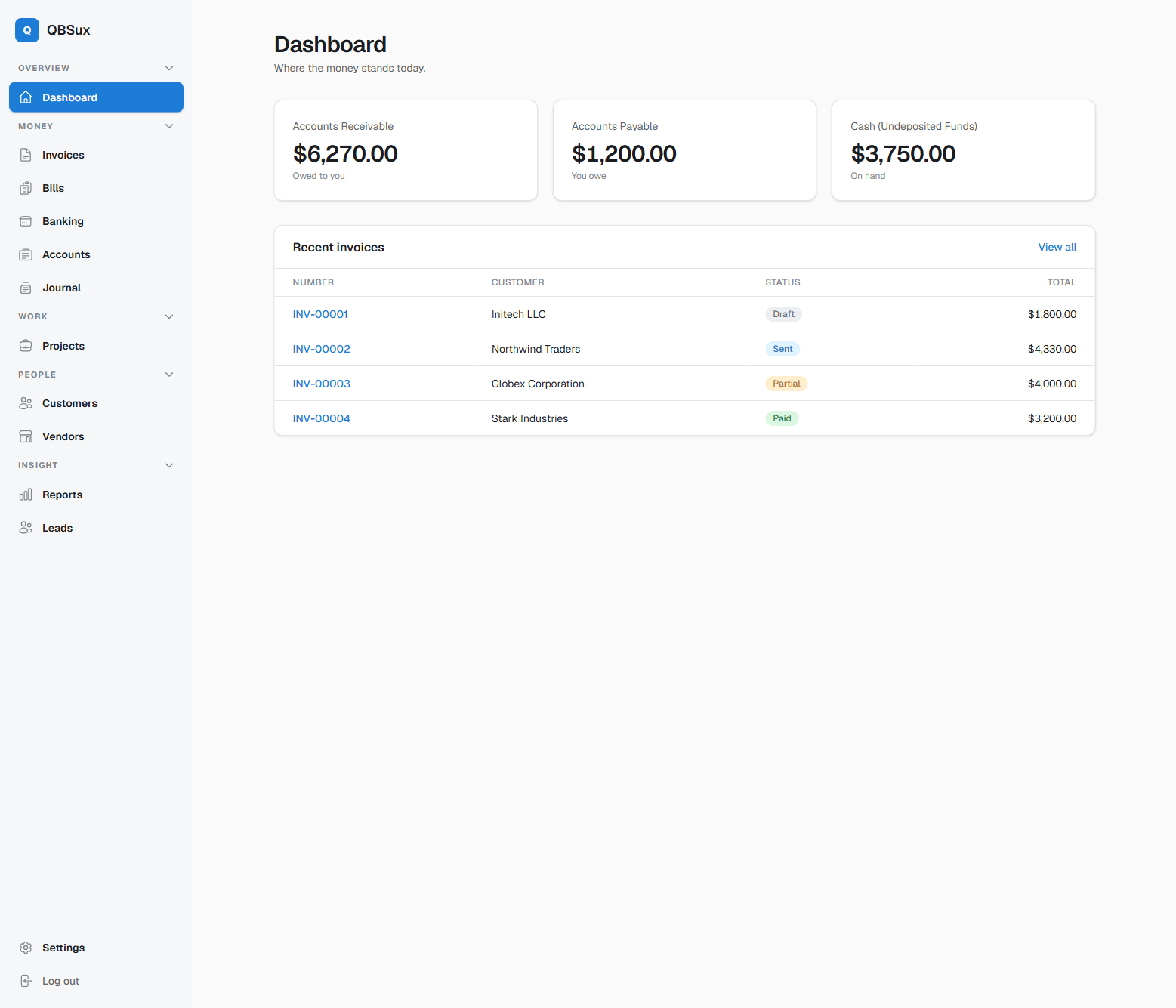
QBS dashboard
For accountants

A real ledger underneath.

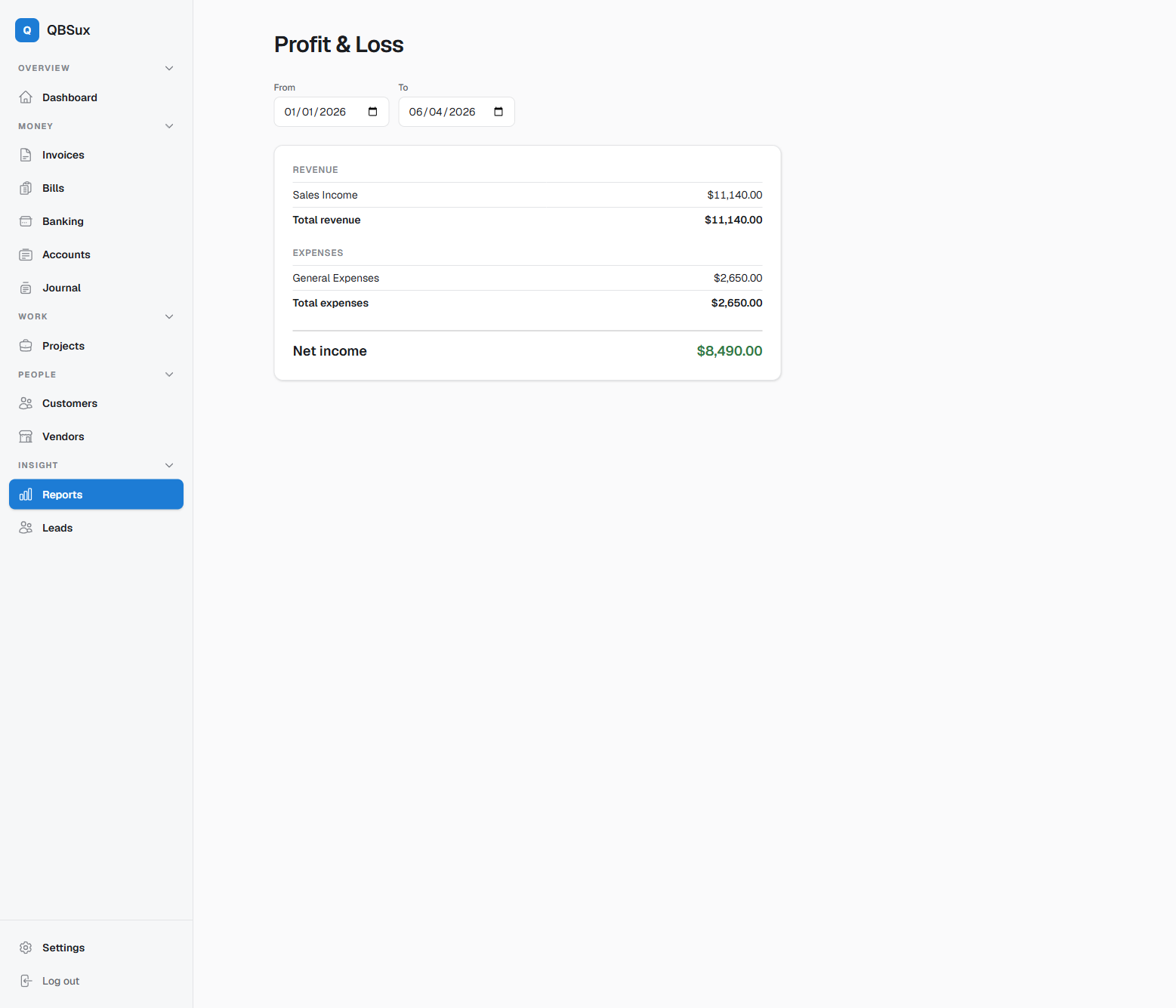
Proper double-entry, audit trail, saved report views, and the statements you expect - P&L, balance sheet, trial balance, cash flow. Export anytime. No lock-in.

Self-host for your clients. You hold the keys.

QBS profit and loss report
Double-entry ledger Runs offline Own your data Export anytime No subscription required
Who it's for

One honest tool, three kinds of people.

Individuals

Freelancers & solo

Invoice clients, track expenses, and know what you're owed - without paying a monthly toll to see your own numbers.

Small business

Agencies & project shops

Tie time and costs to projects and watch real profit per job. Bills, AR/AP, and reports that match how you actually work.

Accountants

Bookkeepers & pros

A correct ledger, clean statements, and reversible entries. Run it for clients on hardware you control.

Receipt capture

Take the picture now. Do the bookkeeping when you're ready.

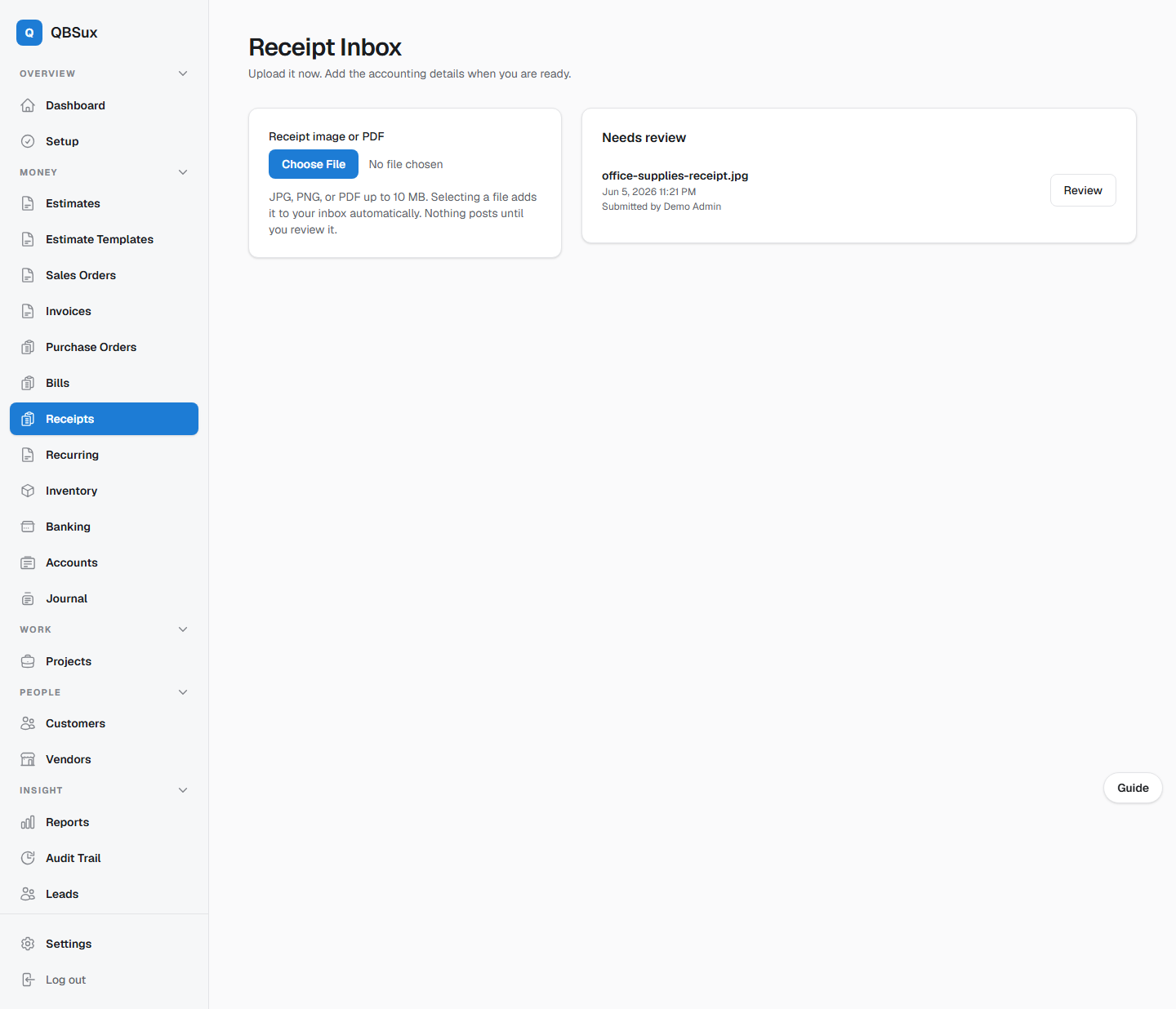
Upload a receipt from your phone or computer. QBS reads it locally, suggests the vendor, date, total, and memo, then waits for a person to approve it.

  1. 1
    Snap or upload

    JPG, PNG, or PDF files go straight into a shared receipt inbox.

  2. 2
    Review the suggestions

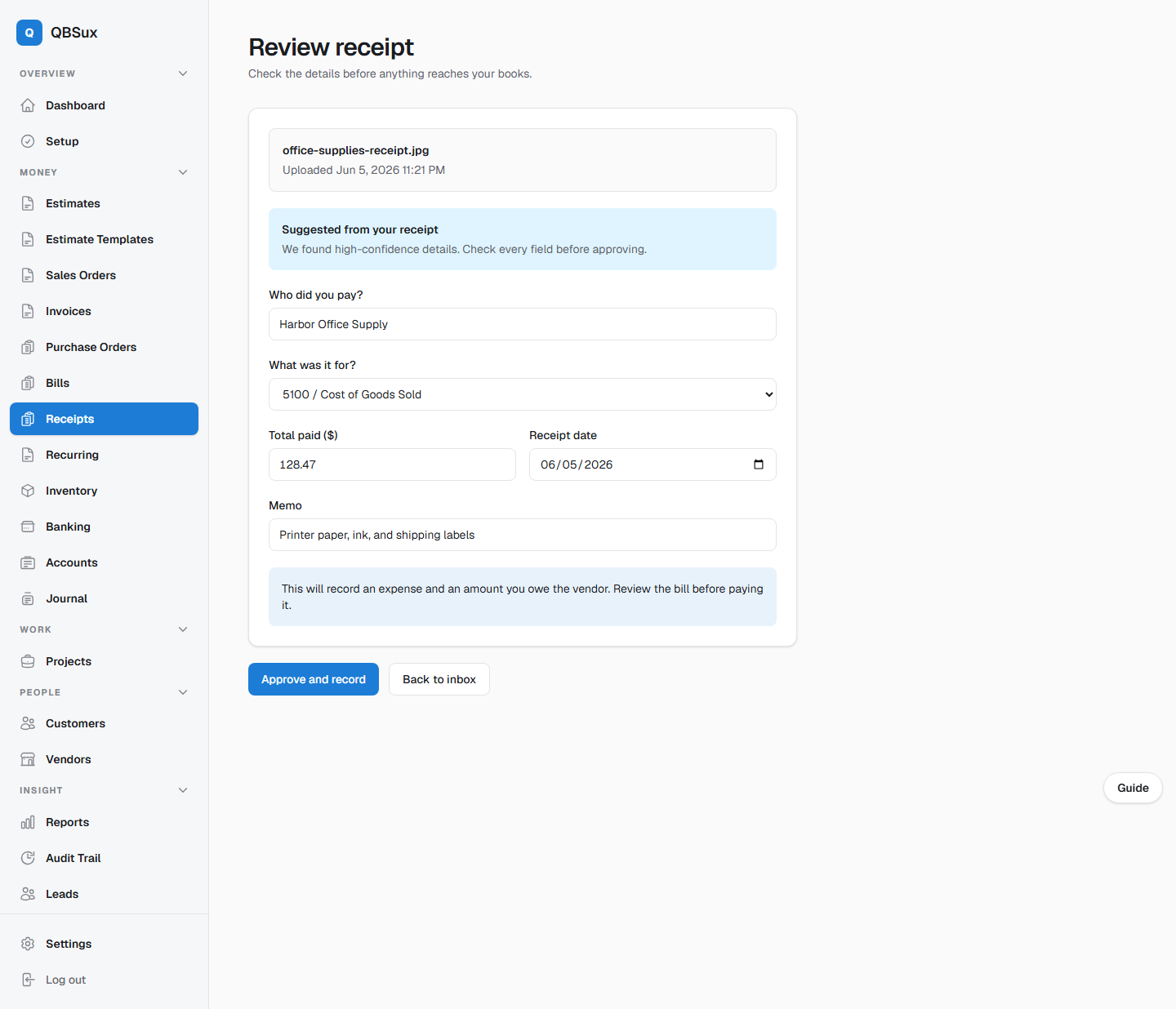
    Check the details and choose the right expense account before anything reaches the books.

  3. 3
    Approve and record

    QBS creates the vendor bill and keeps the receipt connected to the recorded work.

Your receipts stay on your installation. OCR runs locally, and nothing posts without approval.

QBS receipt inbox with an uploaded receipt waiting for review
Submit now
QBS receipt review form with locally extracted suggestions
Review before posting
Switch without starting over

Bring the business you already built.

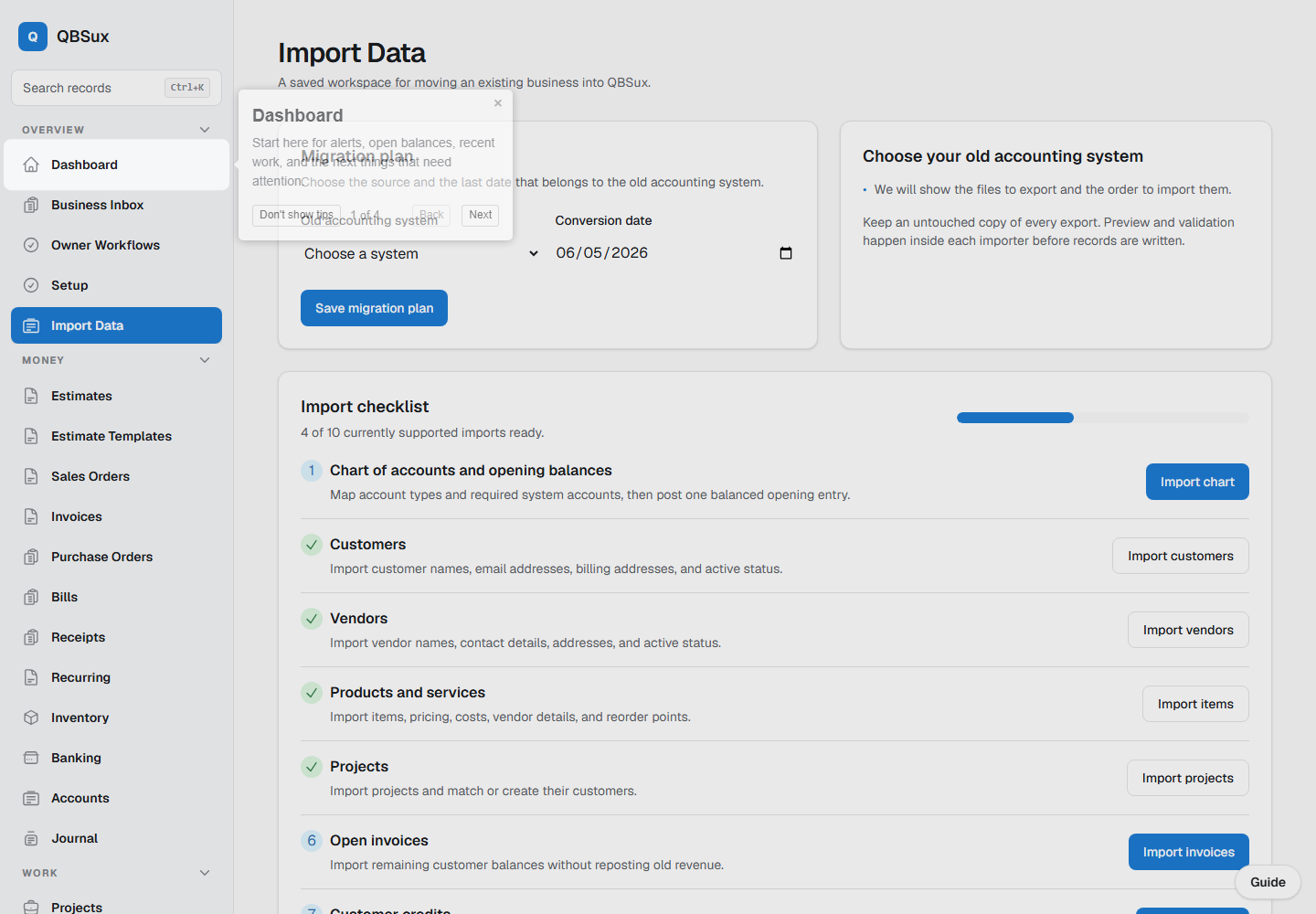
A guided import workspace can analyze one QuickBooks Desktop Lists to IIF Files export or move records from other accounting systems in a controlled order, with previews and reconciliation before you rely on the new books.

  • Import all supported lists at once, or import customers, vendors, and items from their checklist steps
  • Bring accounts, customers, vendors, stock items, jobs/projects, employees, and reference lists
  • Bring opening balances, inventory, invoices, bills, and credits
  • Save reusable column and account mappings
  • Review migration batches and reconcile the converted totals
  • Keep a backup and rollback path during the switch
QBS guided accounting data import workspace
What's inside

Everything you'd expect from the expensive guys.

Minus the rent.

Invoicing & AR

Drafts, taxes, recurring invoices, partial payments, credit notes, refunds, customer statements, and one-click PDF or email.

Bills & AP

Track what you owe vendors, recurring bills, vendor credits and refunds - the payable side done right.

Project P&L

Tag income and costs to projects and read true profit per job, not just per month.

Time tracking

Log billable hours against projects, then turn unbilled time straight into a draft invoice.

Banking automation

Import bank CSV files, match transactions, apply reusable categorization rules, batch deposits, and reconcile against statements.

Owner workflows

A business inbox, approval queue, reminders, month-end checklist, and owner insights keep the next important action visible.

Financial reports

Core statements, management reports, saved views, comparisons, source-document links, and a downloadable accountant audit packet.

Inventory & purchasing

Items, low-stock alerts, purchase orders, receiving, stock ledger, and automatic COGS.

Guided setup

A setup checklist and optional guided hints walk users through the app without making them hunt.

Audit trail & backups

Searchable change history, source-document links, backup status, and safe restoration controls help protect the books.

Team access & security

Role-based access, two-factor authentication, signed-in device controls, and local support diagnostics protect daily work.

Payroll

Enter approved gross pay and withholding, post balanced wage, liability, and net-pay entries, and retain per-employee pay-run detail.
Why local

Software you rent isn't yours.

QuickBooks holds your books on their servers and charges you every month to keep looking at them. QBS runs on your machine. Stop paying, and it still works.

Own your app Own your data Works offline No subscription hostage Export anytime
Pricing

Buy it once. Or let us host it.

A one-time license to run it yourself - or a small monthly fee if you'd rather we handle the server. No tiers, no per-feature upsells.

Take your books back.

Your app. Your data. All local.